Showing posts with label 3. Show all posts

Tuesday, February 28, 2017

How to Root Galaxy S4 LTE I9505 on Android 4 3 Jelly Bean Firmware


The LTE version of Samsung Galaxy S4 with model number GT-I9500 has officially received the Android 4.3 Jelly Bean update. The new official firmware is currently available as an Over-The-Air (OTA) update as well as through Samsung KIES.

Samsung Galaxy S4 I9505 users who have already updated their devices with Android 4.3 Jelly Bean, may root their devices using the tutorial below.

This tutorial uses CF-Auto-Root file released by Elite Recognized XDA Developers, Chainfire. The CF-Auto-Root file allowing Galaxy S4 users to root their devices easily without depending on the firmware. It completely supports Android 4.3 Jelly Bean and future firmware as well. Head over to the CF-Auto-Root main thread to learn more about the root method.

Disclaimer: Rooting voids the warranty of your device. We and the developer of this rooting procedures shall not be held responsible if any undesirable outcomes may happen to your device. use of this root guide is solely at your own risk!

Pre-requisites
1. Install USB Drivers for Samsung Galaxy S4 on the computer.
2. Enable USB Debugging Mode on the phone by navigating to Settings >> Developer Options.
3. Make a backup of all your important data before following the guide.
4. The Galaxy S4 should be factory unlocked and not locked to any particular carrier.
5. Ensure the battery of the phone is charged more than 80 percent.
6. The CF-Auto-Root file works only on Samsung Galaxy S4 I9505. Applying this to any incorrect variant might brick the device. Verify the model number of the Galaxy S4 by navigating to Settings >> About Phone.

File Required
1. CF-Auto-Root for Galaxy S4 I9505 (CF-Auto-Root-jflte-jfltexx-gti9505.zip)
2. Odin 3.07

Steps to Root Galaxy S4 I9505 Running on Android 4.3 Jelly Bean Firmware
Step 1: Extract CF-Auto-Root and Odin 3.07 files using winrar/7zip/winzip or any other extracting tool.
Step 2: Switch off the Galaxy S4. Then boot the device into Download Mode by pressing and holding Volume Down, Home and Power buttons together until a construction Android robot icon with a warning triangle appears on screen. Now press the Volume Up button to enter Download Mode.
Step 3: Launch Odin on the computer as an Administrator.
Step 4: Connect the Galaxy S4 to the computer using USB cable while it is in the Download Mode. Wait until Odin detects the device. When the device is connected successfully, the ID: COM box will turn to light blue with the COM port number. Additionally, the successful connected will be indicated by a message saying Added.

Note: If the Added message does not appear, then try re-install USB drivers or changing the port on the computer.

Step 5: In Odin, click the PDA button and select the CF-Auto-Root-jflte-jfltexx-gti9505.tar.md5 file.
Step 6: Verify that Auto Reboot and F. Reset Time checkboxes are selected in Odin. Also, ensure the Re-Partition option is not selected.
Step 7: Double-check and click Start in Odin. The installation process will now begin.
Step 8: Once the installation process is completed, your phone will restart and soon you will see a PASS message with green background in the left-most box at the very top of the Odin. You can now unplug the USB cable to disconnect your device from computer.

Samsung Galaxy S4 I9505 running on Android 4.3 Jelly Bean firmware is now rooted successfully. You can now install any app that requires root permission. Verify the root status of the device by downloading Root Checker app from Google Play Store.

Thanks to all fellas at XDA who first tried out this rooting technique. This method was originally posted via XDA-Developers original thread.


Android Apk
Read More..

Wednesday, February 8, 2017

How to Root Galaxy S4 U S Cellular SCH R970 on Android 4 3 Jelly Bean Firmware


The U.S. Cellular subscribers of Samsung Galaxy S4 (SCH-R970) has started receiving Android 4.3 Jelly Bean update with firmware build number R970TYUEMJA. The new official firmware is currently available as an Over-The-Air (OTA) update as well as through Samsung KIES.

Samsung Galaxy S4 (U.S. Cellular) SCH-R970 users who have already updated their devices with Android 4.3 Jelly Bean, may root their devices using the tutorial below.

This tutorial uses CF-Auto-Root file released by Elite Recognized XDA Developers, Chainfire. The CF-Auto-Root file allowing Galaxy S4 users to root their devices easily without depending on the firmware. It completely supports Android 4.3 Jelly Bean and future firmware as well. Head over to the CF-Auto-Root main thread to learn more about the root method.

Disclaimer: Rooting voids the warranty of your device. We and the developer of this rooting procedures shall not be held responsible if any undesirable outcomes may happen to your device. use of this root guide is solely at your own risk!

Pre-requisites
1. Install USB Drivers for Samsung Galaxy S4 on the computer.
2. Enable USB Debugging Mode on the phone by navigating to Settings >> Developer Options.
3. Make a backup of all your important data before following the guide.
4. Ensure the battery of the phone is charged more than 80 percent.
5. The CF-Auto-Root file works only on the U.S. Cellular version of Samsung Galaxy S4 (SCH-R970). Applying this to any incorrect variant might brick the device. Verify the model number of the Galaxy S4 by navigating to Settings >> About Phone.

File Required
1. CF-Auto-Root for Galaxy S4 (U.S. Cellular) SCH-R970 (CF-Auto-Root-jflteusc-jflteusc-schr970.zip)
2. Odin 3.07

Steps to Root Galaxy S4 (U.S. Cellular) SCH-R970 Running on Android 4.3 Jelly Bean Firmware
Step 1: Extract CF-Auto-Root and Odin 3.07 files using winrar/7zip/winzip or any other extracting tool.
Step 2: Switch off the Galaxy S4. Then boot the device into Download Mode by pressing and holding Volume Down, Home and Power buttons together until a construction Android robot icon with a warning triangle appears on screen. Now press the Volume Up button to enter Download Mode.
Step 3: Launch Odin on the computer as an Administrator.
Step 4: Connect the Galaxy S4 to the computer using USB cable while it is in the Download Mode. Wait until Odin detects the device. When the device is connected successfully, the ID: COM box will turn to light blue with the COM port number. Additionally, the successful connected will be indicated by a message saying Added.

Note: If the Added message does not appear, then try re-install USB drivers or changing the port on the computer.

Step 5: In Odin, click the PDA button and select the CF-Auto-Root-jflteusc-jflteusc-schr970.tar.md5 file.
Step 6: Verify that Auto Reboot and F. Reset Time checkboxes are selected in Odin. Also, ensure the Re-Partition option is NOT selected.
Step 7: Double-check and click Start in Odin. The installation process will now begin.
Step 8: Once the installation process is completed, your phone will restart and soon you will see a PASS message with green background in the left-most box at the very top of the Odin. You can now unplug the USB cable to disconnect your device from computer.

Samsung Galaxy S4 (U.S. Cellular) SCH-R970 running on Android 4.3 Jelly Bean firmware is now rooted successfully. You can now install any app that requires root permission. Verify the root status of the device by downloading Root Checker app from Google Play Store.


Android Apk
Read More..

Thursday, December 29, 2016

Magic Portals 3 6 3 APK Download Android


Magic Portals 3.6.3 APK 
Requirements: Android 2.1 and up
Size: 24 MB
Rating: 4.7/5
Type: Brain & Puzzle

Game Review:

★ User reviews from the Play Store: ★ 
"Like drugs, but safe This game is so addicting that I forgot to eat lunch playing it. Totally WORTH IT" --Prady Bhaskar

"Awesome game Good clean graphic, Good puzzling mixed with action. May be the best game on the market. Thoroughly enjoyable ... more levels please. " --A Google User

"This game is fun creative and addictive it runs great on my Droid 4 and in my opinion definitely worth the dollar in change you find between your couch cushions " --A Google User

"Excellent Nimble fingers and mind. This game achieves excellence in both, a rare combination. " --A Google User

DESCRIPTION & FEATURES:
Magic Portals is an addicting game that combines classical platform gameplay with challenging puzzle elements, featuring portal spells which are used to teleport almost anything in scene! Opening the path to the level checkpoint.

The game includes several features and art style based on classical 16-bit games, mixing pixel art elements with cutting edge real-time lighting effects.

FACEBOOK: http://www.facebook.com/MagicPortals
NEED HELP ON A TOUGH LEVEL? Visit http://asanteegames.com/magic-portals/walk-through/

Magic Portals highlights:
• Massive bosses!
• Collect all Diamonds to score gold!
• Achievements system for even more challenging gameplay;
• Puzzles and obstacles based on physics dynamics (Box2D);
• Cleverness to finish each level using the least possible number of portals;
• Possibility to move crates, throw giant stones, dodge fire balls and explode stuff using magical powers;
• Beautiful scenes and groundbreaking real-time lighting effects;
• Cool fantasy-style environments and scenarios;
• Over 120 levels already available, and more levels to come with future updates!
If you like Valves Portal or Portal 2, dont miss Magic Portals!
ATTENTION: for good gaming experience, a high-end Android device is recommended.

What’s new in version 3.6.3
• More levels available!
• Fixes for the Galaxy Y, Galaxy Ace and Galaxy S3 Mini
• Performance optimizations
• Gameplay bug fixes

Screenshots (click to enlarge)
Magic Portals 3.6.3 APK Download Links:
Google Play Store Link

Download Multiupload
Download [Mirror 1] Zippyshare
Download [Mirror 2] Sharebeast
Download [Mirror 3] Sendspace


- The games and apps on this site are meant for TESTING, FEEDBACK and PROMOTIONAL purposes only. If you like a game or app then please buy it from GOOGLE PLAY STORE and Support the Developers whose software you actually enjoy!


Android Apk
Read More..

Friday, December 2, 2016

Brotherhood of Violence II v2 0 3 APK


Download APK+ data from below links


Android Apk
Read More..

Wednesday, November 16, 2016

How to Root Galaxy S4 T Mobile SGH M919 on Android 4 3 Jelly Bean Firmware


The T-Mobile subscribers of the Samsung Galaxy S4 with model number SGH-M919 has started receiving the Android 4.3 Jelly Bean update. The new official firmware is currently available as an Over-The-Air (OTA) update as well as through Samsung KIES.

Samsung Galaxy S4 (T-Mobile) SGH-M919 users who have already updated their devices with Android 4.3 Jelly Bean, may root their devices using the tutorial below.

This tutorial uses CF-Auto-Root file released by Elite Recognized XDA Developers, Chainfire. The CF-Auto-Root file allowing Galaxy S4 users to root their devices easily without depending on the firmware. It completely supports Android 4.3 Jelly Bean and future firmware as well. Head over to the CF-Auto-Root main thread to learn more about the root method.

Disclaimer: Rooting voids the warranty of your device. We and the developer of this rooting procedures shall not be held responsible if any undesirable outcomes may happen to your device. use of this root guide is solely at your own risk!

Pre-requisites
1. Install USB Drivers for Samsung Galaxy S4 on the computer.
2. Enable USB Debugging Mode on the phone by navigating to Settings >> Developer Options.
3. Make a backup of all your important data before following the guide.
4. Ensure the battery of the phone is charged more than 80 percent.
5. The CF-Auto-Root file works only on the T-Mobile version of Galaxy S4 (SGH-M919). Applying this to any incorrect variant might brick the device. Verify the model number of the Galaxy S4 by navigating to Settings >> About Phone.

File Required
1. CF-Auto-Root for Galaxy S4 (T-Mobile) SGH-M919 (CF-Auto-Root-jfltetmo-jfltetmo-sghm919.zip)
2. Odin 3.07

Steps to Root Galaxy S4 (T-Mobile) SGH-M919 Running on Android 4.3 Jelly Bean Firmware
Step 1: Extract CF-Auto-Root and Odin 3.07 files using winrar/7zip/winzip or any other extracting tool.
Step 2: Switch off the Galaxy S4. Then boot the device into Download Mode by pressing and holding Volume Down, Home and Power buttons together until a construction Android robot icon with a warning triangle appears on screen. Now press the Volume Up button to enter Download Mode.
Step 3: Launch Odin on the computer as an Administrator.
Step 4: Connect the Galaxy S4 to the computer using USB cable while it is in the Download Mode. Wait until Odin detects the device. When the device is connected successfully, the ID: COM box will turn to light blue with the COM port number. Additionally, the successful connected will be indicated by a message saying Added.

Note: If the Added message does not appear, then try re-install USB drivers or changing the port on the computer.

Step 5: In Odin, click the PDA button and select the CF-Auto-Root-jfltetmo-jfltetmo-sghm919.tar.md5 file.
Step 6: Verify that Auto Reboot and F. Reset Time checkboxes are selected in Odin. Also, ensure the Re-Partition option is NOT selected.
Step 7: Double-check and click Start in Odin. The installation process will now begin.
Step 8: Once the installation process is completed, your phone will restart and soon you will see a PASS message with green background in the left-most box at the very top of the Odin. You can now unplug the USB cable to disconnect your device from computer.

Samsung Galaxy S4 (T-Mobile) SGH-M919 running on Android 4.3 Jelly Bean firmware is now rooted successfully. You can now install any app that requires root permission. Verify the root status of the device by downloading Root Checker app from Google Play Store.

Thanks to all fellas at XDA who first tried out this rooting technique. This method was originally posted via XDA-Developers original thread.


Android Apk
Read More..

Sunday, October 30, 2016

How to Update Galaxy S4 LTE I9505 with Android 4 3 XXUEMK9 Jelly Bean Official Firmware


Samsung has just started to push the latest Android 4.3 Jelly Bean update with firmware build number I9505XXUEMK9 for the Qualcomm Snapdragon 800 variant of the Galaxy S4 (LTE) bearing model number GT-I9505 in select Southeast Asian countries - Malaysia, Philippines, and Singapore. The new official firmware is currently available as an Over-The-Air (OTA) update as well as through Samsung KIES.

Firmware details
PDA: I9505XXUEMK9
CSC: I9505OLBEMK3
MODEM: I9505XXUEMK9
Version: Android 4.3
Build date: Nov 21, 2013
Regions: Malaysia, Philippines, Singapore

Samsung Galaxy S4 (LTE) I9505 users who missed the OTA update notification or unable to access the update over Samsung KIES, may follow our step-by-step guide to install the update manually.

Pre-requisites
1. Install USB Drivers for Samsung Galaxy S4 on the computer.
2. Enable USB Debugging Mode on the phone by navigating to Settings >> Developer Options.
3. Make a backup of all your important data before following the guide.
4. The Galaxy S4 should be factory unlocked and not locked to any particular carrier.
5. Ensure the battery of the phone is charged more than 80 percent.
6. The Android 4.3 XXUEMK9 Jelly Bean firmware is compatible only with the LTE version of Samsung Galaxy S4 (GT-I9505). Applying this to any incorrect variant might brick the device. Verify the model number of the Galaxy S4 by navigating to Settings >> About Phone.

File Required
1. Android 4.3 XXUEMK9 Jelly Bean Firmware (Alternative Link) for Galaxy S4 (LTE) I9505
2. Odin 3.07

Steps to Update Galaxy S4 (LTE) I9505 with Android 4.3 XXUEMK9 Jelly Bean Firmware
Step 1: Extract Firmware zip file using winrar/7zip/winzip or any other extracting tool, you will get a .tar.md5 file and some other files.
Step 2: Extract Odin zip file and you will get Odin3 v3.07.exe along with few other files.
Step 3: Switch off the Galaxy S4.
Step 4: Boot the device into Download Mode by pressing and holding Volume Down, Home and Power buttons together until a construction Android robot icon with a warning triangle appears on screen. Now press the Volume Up button to enter Download Mode.
Step 5: Run Odin on the computer as an Administrator.
Step 6: Connect the Galaxy S4 to the computer using USB cable while it is in the Download Mode. Wait until Odin detects the device. When the device is connected successfully, the ID: COM box will turn to light blue with the COM port number. Additionally, the successful connected will be indicated by a message saying Added.

Note: If the Added message does not appear, then try re-install USB drivers or changing the port on the computer.

Step 7: Select the following files in Odin from extracted I9505XXUEMK9 firmware folder:
  • Click the PDA button and select the .tar.md5 file.
  • Click the Phone button and select file with MODEM in its name. Ignore if there is no such file.
  • Click the CSC button and select file with CSC in its name. Ignore if there is no such file.
  • Click the PIT button and select the .pit file. Ignore if there is no such file.
Step 8: In Odin, enable Auto Reboot and F. Reset Time checkboxes. Also, ensure the Re-Partition checkbox is chosen only if a .pit file was chosen in the previous step.
Step 9: Verify everything suggested in Step 7 and Step 8 is done correctly. Then hit the Start button to begin the installation process.
Step 10: Once the installation process is completed, your phone will restart and soon you will see a PASS message with green background in the left-most box at the very top of the Odin. You can now unplug the USB cable to disconnect your device from the computer.

Samsung Galaxy S4 (LTE) I9505 should be now updated with official Android 4.3 XXUEMK9 Jelly Bean. Head over to Settings >> About Phone to verify the software version running on the device.

Note: If Galaxy S4 (LTE) I9505 stuck at booting animation after Step 10 then go to recovery mode (press and hold the Volume Up, Home and Power buttons together) and perform Wipe data/Factory Reset and Wipe Cache Partition task before selecting reboot system now function. In recovery mode use Volume keys to navigate between options and Power key to select the option. Please note, performing wiping task will erase your device internal memory data and not external SD card data.


Android Apk
Read More..

Saturday, October 29, 2016

How to Root Galaxy S4 Sprint SPH L720 on Android 4 3 Jelly Bean Firmware


Samsung has recently released the Android 4.3 Jelly Bean update firmware with firmware build number L720VPUEMJA for the Sprint subscribers of Galaxy S4 with model number SPH-L720. The new official firmware is now available as an Over-The-Air (OTA) update as well as through Samsung KIES.

Samsung Galaxy S4 (Sprint) SPH-L720 users who have already updated their devices with Android 4.3 Jelly Bean, may root their devices using the tutorial below.

This tutorial uses CF-Auto-Root file released by Elite Recognized XDA Developers, Chainfire. The CF-Auto-Root file allowing Galaxy S4 users to root their devices easily without depending on the firmware. It completely supports Android 4.3 Jelly Bean and future firmware as well. Head over to the CF-Auto-Root main thread to learn more about the root method.

Disclaimer: Rooting voids the warranty of your device. We and the developer of this rooting procedures shall not be held responsible if any undesirable outcomes may happen to your device. use of this root guide is solely at your own risk!

Pre-requisites
1. Install USB Drivers for Samsung Galaxy S4 on the computer.
2. Enable USB Debugging Mode on the phone by navigating to Settings >> Developer Options.
3. Make a backup of all your important data before following the guide.
4. Ensure the battery of the phone is charged more than 80 percent.
5. The CF-Auto-Root file works only on the Sprint version of Samsung Galaxy S4 SPH-L720. Applying this to any incorrect variant might brick the device. Verify the model number of the Galaxy S4 by navigating to Settings >> About Phone.

File Required
1. CF-Auto-Root for Galaxy S4 (Sprint) SPH-L720 (CF-Auto-Root-jfltespr-jfltespr-sphl720.zip)
2. Odin 3.07

Steps to Root Galaxy S4 (Sprint) SPH-L720 Running on Android 4.3 Jelly Bean Firmware
Step 1: Extract CF-Auto-Root and Odin 3.07 files using winrar/7zip/winzip or any other extracting tool.
Step 2: Switch off the Galaxy S4. Then boot the device into Download Mode by pressing and holding Volume Down, Home and Power buttons together until a construction Android robot icon with a warning triangle appears on screen. Now press the Volume Up button to enter Download Mode.
Step 3: Launch Odin on the computer as an Administrator.
Step 4: Connect the Galaxy S4 to the computer using USB cable while it is in the Download Mode. Wait until Odin detects the device. When the device is connected successfully, the ID: COM box will turn to light blue with the COM port number. Additionally, the successful connected will be indicated by a message saying Added.

Note: If the Added message does not appear, then try re-install USB drivers or changing the port on the computer.

Step 5: In Odin, click the PDA button and select the CF-Auto-Root-jfltespr-jfltespr-sphl720.tar.md5 file.
Step 6: Verify that Auto Reboot and F. Reset Time checkboxes are selected in Odin. Also, ensure the Re-Partition option is NOT selected.
Step 7: Double-check and click Start in Odin. The installation process will now begin.
Step 8: Once the installation process is completed, your phone will restart and soon you will see a PASS message with green background in the left-most box at the very top of the Odin. You can now unplug the USB cable to disconnect your device from computer.

Samsung Galaxy S4 (Sprint) SPH-L720 running on Android 4.3 Jelly Bean firmware is now rooted successfully. You can now install any app that requires root permission. Verify the root status of the device by downloading Root Checker app from Google Play Store.

Thanks to all fellas at XDA who first tried out this rooting technique. This method was originally posted via XDA-Developers original thread.


Android Apk
Read More..

Wednesday, October 26, 2016

Tiny Tower v1 3 6 Download APK

Tiny Tower v1.3.6
Tiny Tower v1.3.6


Description
Build a Tiny Tower and manage your bitizens that live there!

☆ ☆ ☆The #1 iPhone Game Tiny Tower comes to Android for the 1st Time☆ ☆ ☆
Tiny Tower lets you build a tiny tower and manage the businesses and bitizens that inhabit it!


- Make money to build new types of floors and attract bitizens to live and work inside.
- Special events and VIP visitors will earn you special perks as you build your tower towards the clouds.

- Customize the look and placement of each floor and the bitizens that live in them, and upgrade your elevator.
- See what is on your bitizens minds by peeking at the "BitBook" virtual social network for your tower!

Tiny Tower is powered by Mobage, the best, free, social game network.

https://sites.google.com/site/freeapkandroidapps3/Market_3.4.4.apk


Android Apk
Read More..

Tuesday, August 16, 2016

How to Update Galaxy S4 I9500 with Android 4 3 XXUEMJ8 Jelly Bean Official Firmware


Samsung Galaxy S4 with model number GT-I9500 has received its latest Android 4.3 Jelly Bean update with firmware build number I9500XXUEMJ8. The new official firmware is now available in most Southeast Asian countries as an Over-The-Air (OTA) update as well as through Samsung KIES.

Firmware details
PDA: I9500XXUEMJ8
CSC: I9500OLBEMJ5
MODEM: I9500DXUEMJ5
Version: Android 4.3
Build date: Oct 21, 2013
Regions: Indonesia, Malaysia, Philippines, Singapore, Vietnam, Thailand

Samsung Galaxy S4 I9500 users who missed the OTA update notification or unable to access the update over Samsung KIES, may follow our step-by-step guide to install the update manually.

Pre-requisites
1. Install USB Drivers for Samsung Galaxy S4 on the computer.
2. Enable USB Debugging Mode on the phone by navigating to Settings >> Developer Options.
3. Make a backup of all your important data before following the guide.
4. The Galaxy S4 should be factory unlocked and not locked to any particular carrier.
5. Ensure the battery of the phone is charged more than 80 percent.
6. The Android 4.3 XXUEMJ8 Jelly Bean firmware is compatible only with Samsung Galaxy S4 I9500. Applying this to any incorrect variant might brick the device. Verify the model number of the Galaxy S4 by navigating to Settings >> About Phone.

File Required
1. Android 4.3 XXUEMJ8 Jelly Bean Firmware (Alternative Link)
2. Odin 3.07

Steps to Update Galaxy S4 I9500 with Android 4.3 XXUEMJ8 Jelly Bean Firmware
Step 1: Extract Firmware zip file using winrar/7zip/winzip or any other extracting tool, you will get a .tar.md5 file and some other files.
Step 2: Extract Odin zip file and you will get Odin3 v3.07.exe along with few other files.
Step 3: Switch off the Galaxy S4.
Step 4: Boot the device into Download Mode by pressing and holding Volume Down, Home and Power buttons together until a construction Android robot icon with a warning triangle appears on screen. Now press the Volume Up button to enter Download Mode.
Step 5: Run Odin on the computer as an Administrator.
Step 6: Connect the Galaxy S4 to the computer using USB cable while it is in the Download Mode. Wait until Odin detects the device. When the device is connected successfully, the ID: COM box will turn to light blue with the COM port number. Additionally, the successful connected will be indicated by a message saying Added.

Note: If the Added message does not appear, then try re-install USB drivers or changing the port on the computer.

Step 7: Select the following files in Odin from extracted I9500XXUEMJ8 firmware folder:
  • Click the PDA button and select the .tar.md5 file.
  • Click the Phone button and select file with MODEM in its name. Ignore if there is no such file.
  • Click the CSC button and select file with CSC in its name. Ignore if there is no such file.
  • Click the PIT button and select the .pit file. Ignore if there is no such file.
Step 8: In Odin, enable Auto Reboot and F. Reset Time checkboxes. Also, ensure the Re-Partition checkbox is chosen only if a .pit file was chosen in the previous step.
Step 9: Verify everything suggested in Step 7 and Step 8 is done correctly. Then hit the Start button to begin the installation process.
Step 10: Once the installation process is completed, your phone will restart and soon you will see a PASS message with green background in the left-most box at the very top of the Odin. You can now unplug the USB cable to disconnect your device from the computer.

Samsung Galaxy S4 I9500 should be now updated with official Android 4.3 XXUEMJ8 Jelly Bean. Head over to Settings >> About Phone to verify the software version running on the device.

Note: If Galaxy S4 I9500 stuck at booting animation after Step 10 then go to recovery mode (press and hold the Volume Up, Home and Power buttons together) and perform Wipe data/Factory Reset and Wipe Cache Partition task before selecting reboot system now function. In recovery mode use Volume keys to navigate between options and Power key to select the option. Please note, performing wiping task will erase your device internal memory data and not external SD card data.


Android Apk
Read More..

Thursday, August 4, 2016

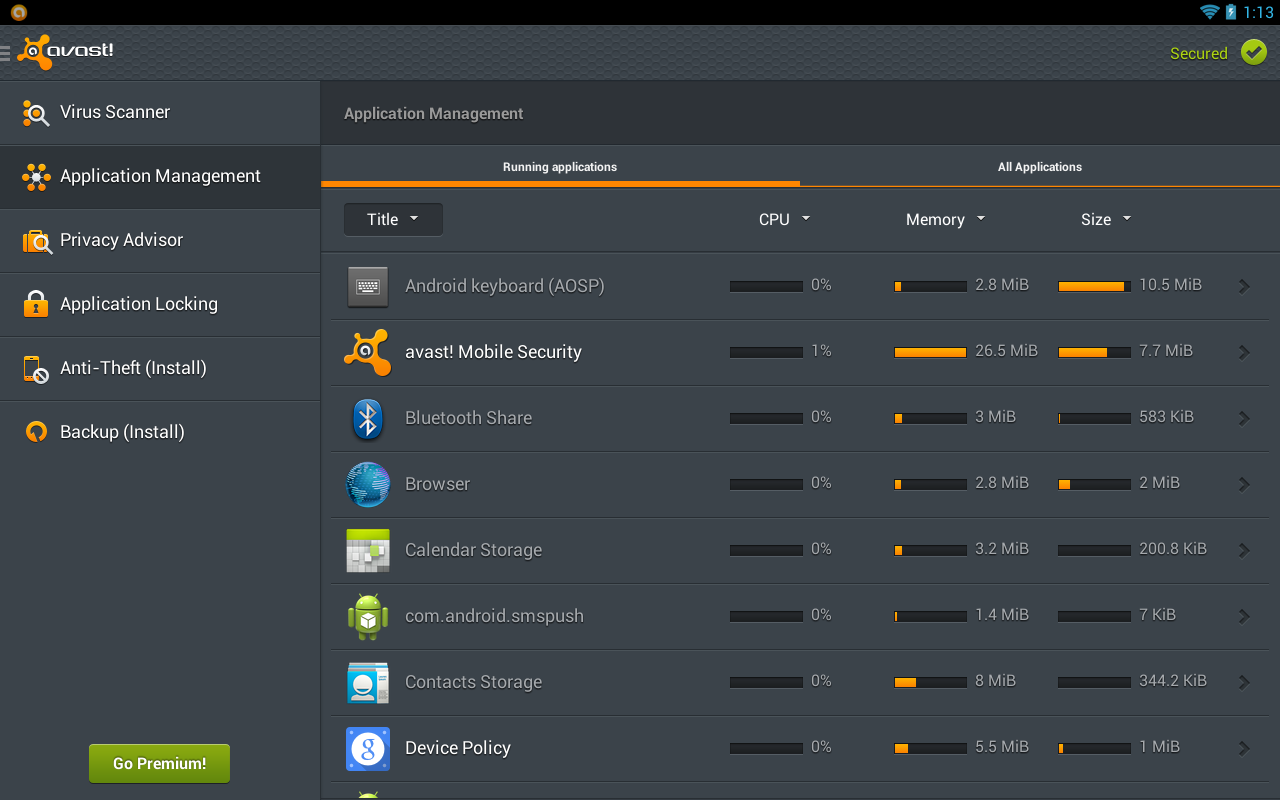
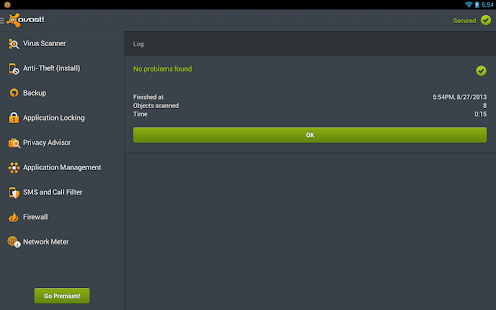
Free Avast Mobile Security Antivirus PRO V 3 0 6978 January 2014

Mobile Security & Antivirus - screenshot

Description
Protect your Android™ phone and tablet with the top-rated (4.5 stars!) free mobile security app with both antivirus and anti-theft.

■ avast! Mobile Security keeps your device safe from viruses, malware, and spyware.
■ It helps you locate your lost phone through our web-based phone locate feature.
■ Remote device lock and/or memory wipe in its advanced Anti-Theft component keep your data safe.
■ Handy tools like network meter, app manager, and even firewall (on rooted phones) give you complete control of your mobile phone.

Install it today – totally FREE.

Trusted by millions of people and recommended by top Android authorities:

★ AndroidAuthority: “The best just got better… nothing comes close.”
★ Android and Me: “The best anti-theft solution on the market.”
★ AndroidPolice: “Basically anything you would want should your device get lost or stolen.”
★ Droid-Life: “It doesn’t get much more extensive than this.”

MOBILE SECURITY | ANTIVIRUS FOR ANDROID

■ Antivirus Engine: Scan installed apps, memory card content, and new apps automatically upon first use. Schedule automatic scans for when you sleep. Includes SMS/file scanning, for complete mobile security.
■ Privacy Report & Apps Manager: Get insights about installed apps and understand your apps’ access rights and intentions.
■ SMS/Call Filtering: Retain your privacy with. Block numbers you don’t want to be able contact you.
■ Web Shield: Blocks malware-infected links (for safe web browsing) and even USSD numbers (which have the ability to wipe your device memory). Also fixes mistyped URLs.
■ Network Meter: Measures incoming/outgoing data transfers.
■ Firewall (rooted devices only): Block hackers from getting in.
■ App Locking: Lock any 2 apps with PIN/gesture (unlimited in Premium).
■ Backup: Allows backup of contacts, SMS/call logs, and photos (Premium version provides backup of music, video, and apps).

FIND MY PHONE | ANTI-THEFT FOR ANDROID

The best free cell phone tracker on the market. If you’re thinking “How can I find my Android?” you can use its cell phone locator features to find it, control it remotely, and much more.
■ Control your Android remotely via a web-based interface or SMS (to later control your phone remotely, go to: http://my.avast.com).
■ Locate your phone on a map.
■ Lock device, activate siren, or wipe memory to keep your private data safe.
■ Get notification of a SIM card change.

NEW! PREMIUM FEATURES | PAID-FOR OPTIONS

★ App Locking: Locks an unlimited number of apps.
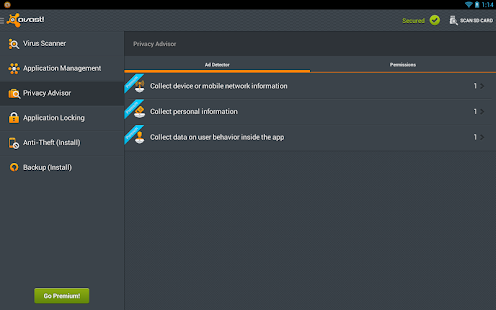
★ Ad Detector: Detects ads and provides full details of their tracking systems.
★ Password Check: Automatically locks after 3 wrong attempts to unlock.
★ Geo-Fencing: Phone performs specified actions (e.g. lock, siren, send location) when outside of some set perimeter (e.g. you go to a cafe and enable it with a 500m perimeter, so if somebody steals your phone and takes it beyond this perimeter, it activates your specified actions).
★ Remote SMS: Remotely send SMS from the phone.
★ Remote Data Recovery: Remotely retrieve data from the phone.
★ Remote Identification: Take picture of the thief when he/she tries to unlock device (use front or back camera, with face recognition). Record audio, with voice recognition.
★ Backup Features: Allows backup of video, audio, and apps (including settings and data for rooted phones, e.g. game progress).
Premium pricing (auto-renewal): $1.99 monthly, or $14.99 yearly.
This app might be incompatible with the following applications: Lokout, AVG, Antivirus Free, ESET, Dr.Web, Norton
Available in the following languages: Arabic, Belarusian, Bulgarian, Catalan, Czech, Dutch, English, French, German, Hungarian, Chinese (Simplified), Chinese (Traditional), Italian, Japanese, Korean, Polish, Portuguese, Russian, Spanish, Turkish, Vietnamese.

Whats New

+ We have quickly fixed the virus database! If you have still false positives problems, please update the virus database in the app Settings.
We apologize for this issue Thank you for your patience.
+ Fixed crash on the application start caused by the previous update
+ Several other minor bug fixes
+ Support for Android 4.4, Kitkat.

Screenshot

Mobile Security & Antivirus - screenshot thumbnail

Mobile Security & Antivirus - screenshot thumbnail


DOWNLOAD VIA FILEICE

                        DOWNLOAD AVAST MOBILE SECURITY PRO V 3.0.6978

                                                    DOWNLOAD PRO KEY
                                                            
                                   INSTRUCTION FOR DOWNLOAD THE TRICK FILE


DOWNLOAD VIA SHARECASH
                                                   
                 DOWNLOAD AVAST MOBILE SECURITY PRO V 3.0.6978

                  DOWNLOAD PRO KEY
                                      
                            INSTRUCTION FOR DOWNLOAD THE TRICK FILE

For long lasting and security of trick we have uploaded it on SHARECASH & FILEICE. Those who really want this trick can download it by completing the survey. Please dont ask for file via email.

If in case you feel any difficulty in configuring it then do leave a message and will continue to provide the tricks in the Survey Manner, Lesser the No of downloads the lesser is the chances of getting the trick Block.

If you face any issue in configuring the Avast Mobile Security Pro V3.0.6978 Software then do leave a message and do-do Like US on Facebook, to keep yourself Updated.

Note:- Email request comments will be not Published If encountered any types of problem gives us feed back.                          


Android Apk
Read More..

Thursday, July 28, 2016

Juice PRO live wallpaper 3 1 APK


Juice PRO live wallpaper 3.1 APK
Requirements: Android 2.2 and up
Size: 27M
Rating: 4.5/5
Type: Brain & Puzzle

App Review:

★ A couple customer reviews from the App Store:
"Best App ever Those who are skeptical about spending 2 bucks blv it Well worth the money !!! Only request to the developer Plz keep supporting by updating with more features" --Shally Oberoi  

"Amazing with new updates Love the new updates... Love the floating and sinking options along with gyroscope.. Makes the wallpaper completely worth the 2$." --DA G  

"Totally worth it The free application is very enjoyable too But the pro version was totally worth it I enjoy watching the pineapple watermelon papaya And all others" --Naomi Sugar

DESCRIPTION:
The summer - the heat.
Who does not like summer, hot afternoon drink of fresh, cold juice with ice and slices of fruit or berries.
Live Wallpaper - Juice. Beautiful live wallpaper from various drinks.

The current version is:
  - Grapefruit juice with fruit pieces and ice cubes.
  - Lime juice with fruit pieces and ice cubes.
  - Orange juice with fruit pieces and ice cubes.
  - Water with Lemon with fruit pieces and ice cubes
- Cherry juice with fruit pieces and ice cubes.
- Kiwi juice with fruit pieces and ice cubes.
- Strawberry juice with fruit pieces and ice cubes.
- Pineapple juice with fruit pieces and ice cubes.
- Watermelon juice with fruit pieces and ice cubes.
- Papaya juice with fruit pieces and ice cubes
- Blackberry juice with fruit pieces and ice cubes.
- Juice berries (raspberries, blackberries, currants, blueberries)
- Apple juice with fruit pieces and ice cubes
- (Unreal juice) Pirple orange with fruit pieces and ice cubes.

You can make a drink carbonated or not, and add ice cubes and slices of fruit (grapefruit, orange, lemon, lime, cherry, kiwi, strawberry, pineapple, watermelon, papaya, blackberry, berries).
And control:
- Size of fruit
- Speed of fruit
And also set the movement of fruit and ice. Will they sink or simply to behave more realistically, to sink, and then emerge, as it happens in real drinks.
Use the gyroscope for a more realistic behavior of fruit, ice and bubbles
We accept orders for juices at: panfer74@gmail.com
Make your phone juicy!!!
NO ADVERTISING! DO NOT NEED ANY PERMISSION!

What’s new in version 3.1
- Added new theme – apple juice
- Involved gyroscope for more realistic behavior of fruit, ice and bubbles

Screenshots (click to enlarge)
Juice PRO live wallpaper 3.1 APK Download Links:
https://play.google.com/store/apps/details?id=com.pansoft.juicepro&hl=en

Download putlocker
Download [Mirror 1] Zippyshare
Download [Mirror 2] Sharebeast
Download [Mirror 3] Sendspace
Download [Mirror 4] Multiupload 


- The games and apps on this site are meant for TESTING, FEEDBACK and PROMOTIONAL purposes only. If you like a game or app then please buy it from GOOGLE PLAY STORE and Support the Developers whose software you actually enjoy!


Android Apk
Read More..

Wednesday, July 13, 2016

StudyDroid Flashcards 2 0 Free v3 3 0 Download APK

StudyDroid Flashcards 2.0-Free v3.3.0


Description
StudyDroid puts the flashcards right in your pocket. Create flash cards online or on your phone, then sync them. Never lose your flashcards again.

New Features:
* 2-way sync
* Card colors
* Custom Text Size

Check out the paid version to enable 3rd party syncing and remove the ads
https://sites.google.com/site/freeapkandroidapps3/Market_3.4.4.apk 


Android Apk
Read More..